
✨ Highlights
Welcome to the v2026.08.11.1 release of Osiris WMS.
This release brings Ukrainian to the whole product, gives the back office a fresh new look, and updates the sign-in screen. It also adds finer control over who can switch sites and print barcodes on the PDA, along with a set of fixes and translation improvements.
A Redesigned Back Office
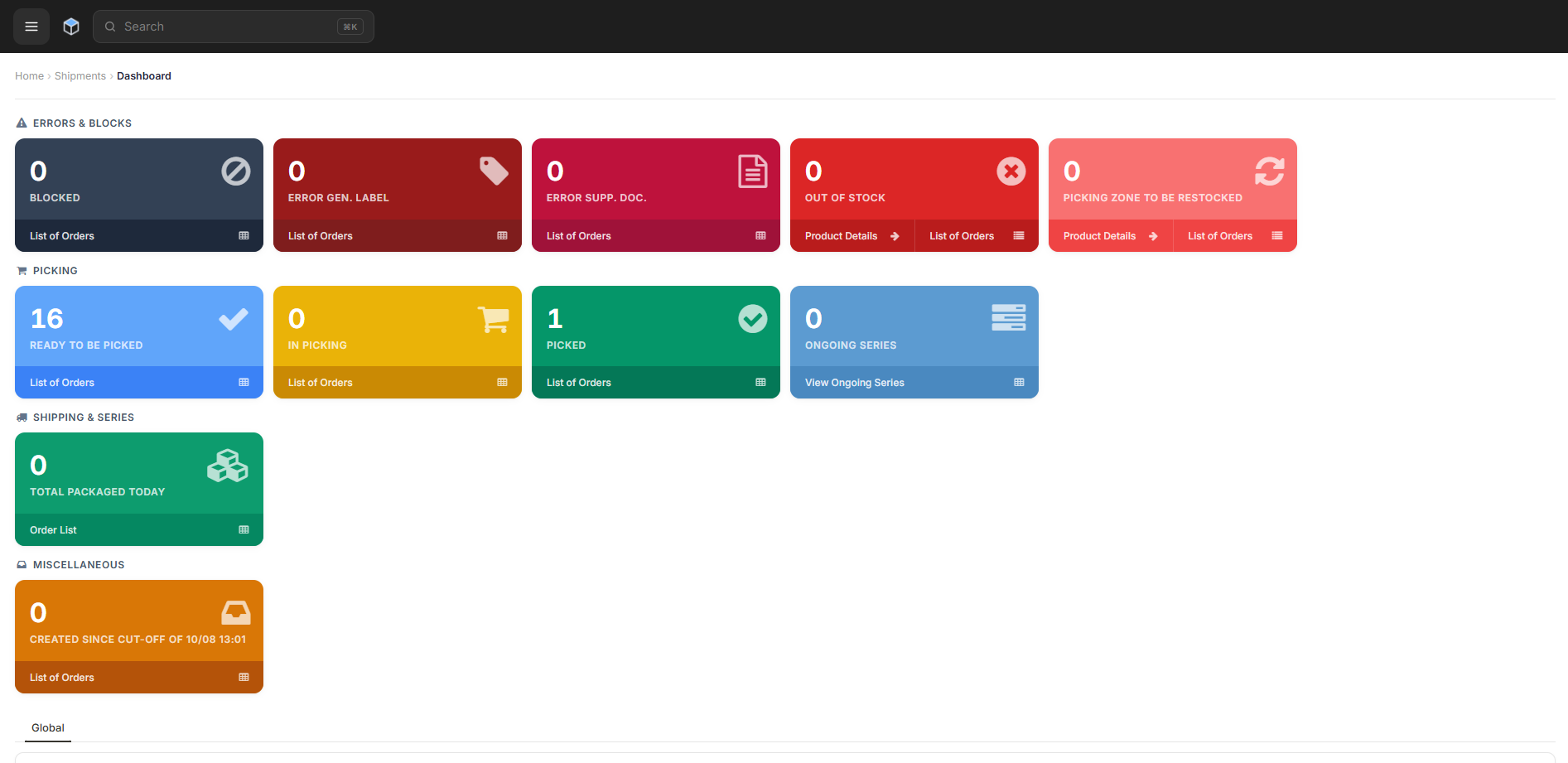
The back office has a cleaner, refreshed look, built to help you find things faster and stay focused on the task in front of you. The main changes:
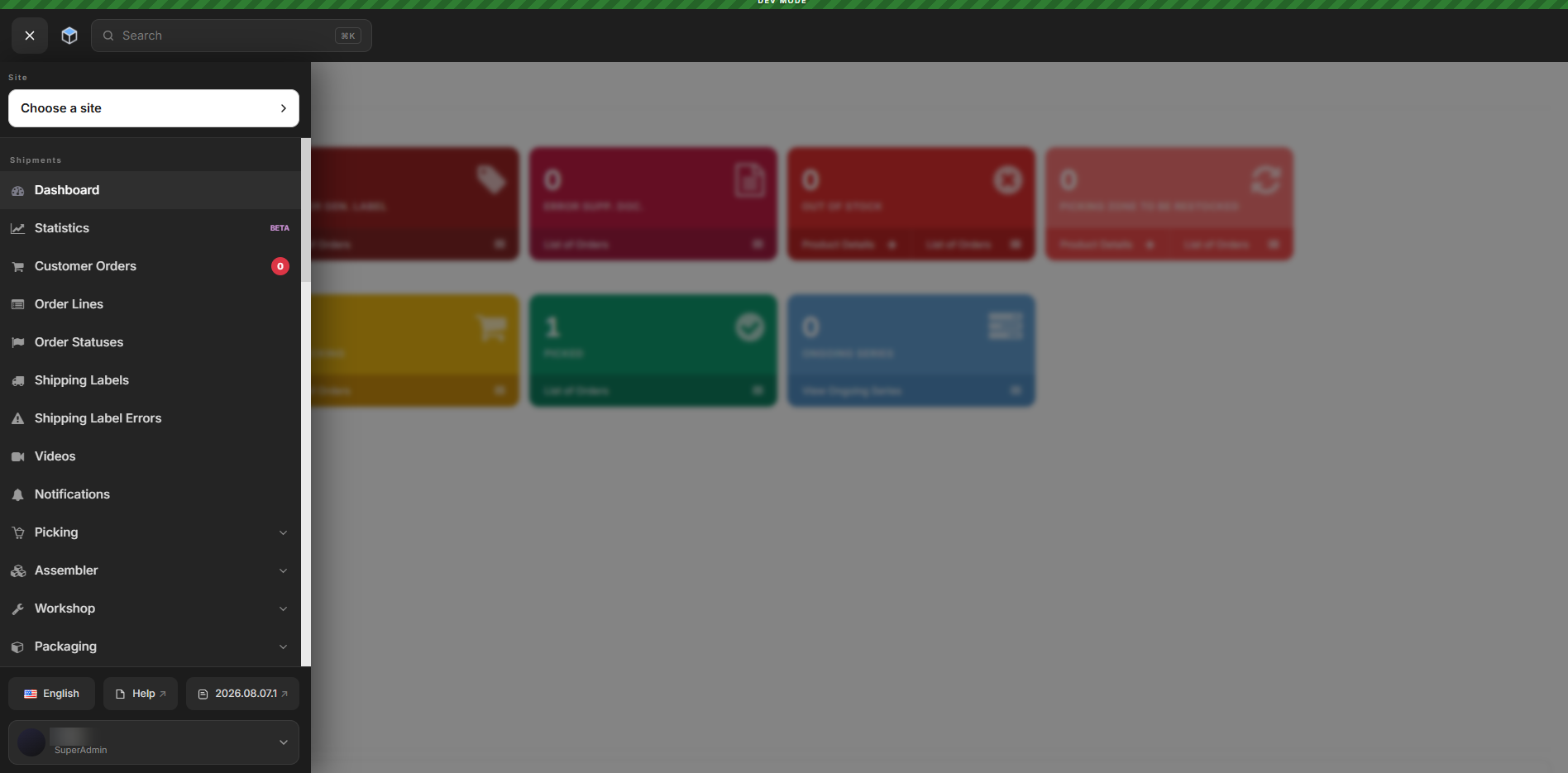
- The side menu now starts closed, which gives you more room to work, and search has moved to the top of the screen. Instead of scrolling through the menu, you type the name of any section and go straight to it. If you prefer to keep the full menu open, you can turn it back on in your account preferences.
- The documentation is now called Help and sits at the end of the side menu, between the language switcher and the changelog, so guidance and the latest product news are always within reach.
- The back office is now designed mobile first, and that shaped the desktop too, so the actions you use most stand out. The site selector now sits in the top-right corner (you can also switch site by pressing Ctrl+K, or Cmd+K on Mac, and typing its name). Primary buttons like Create and Export use an updated color, and secondary actions like Import are grouped under a "more" menu (the three dots beside Create).
Ukrainian Language Support
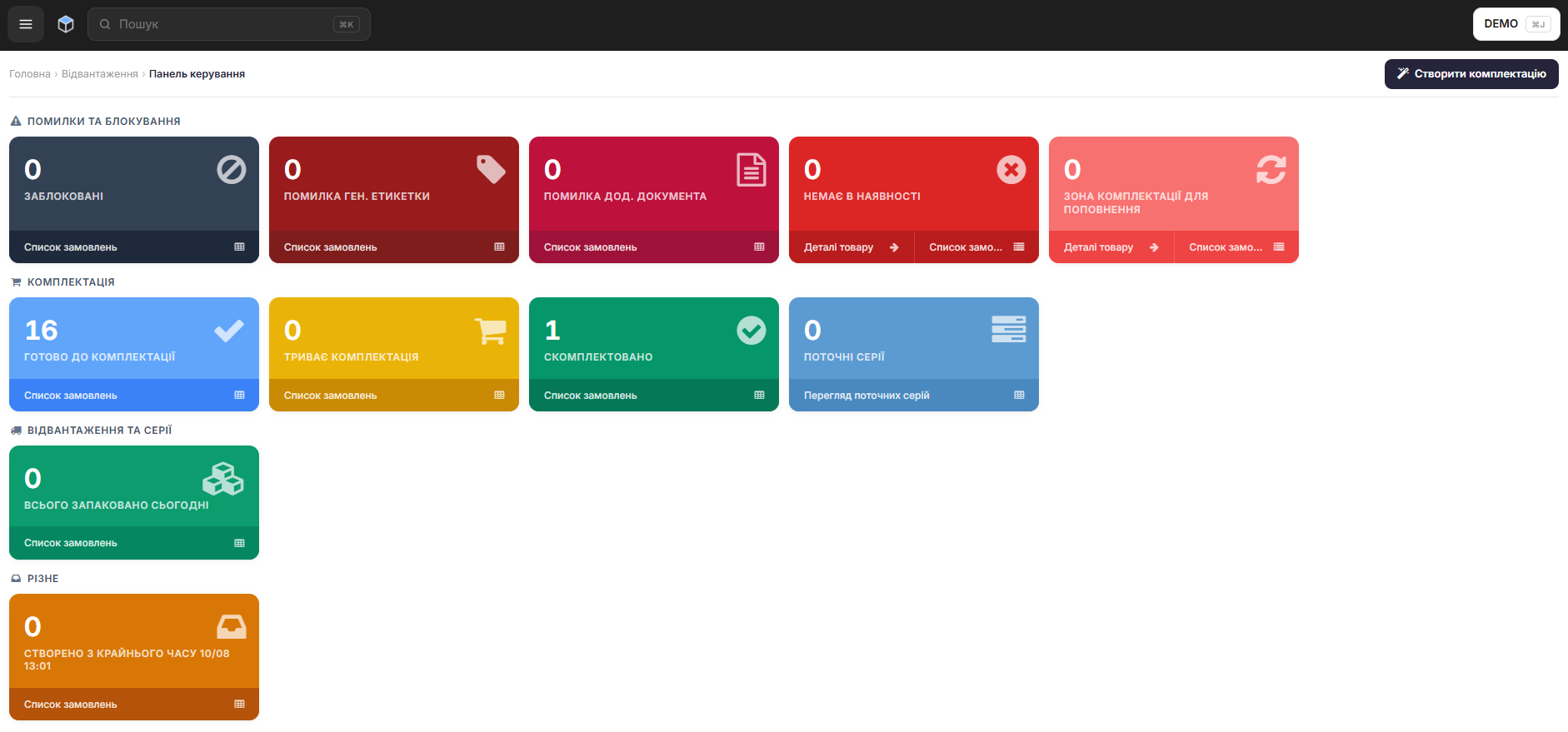
Ukrainian is now available across all of Osiris WMS: the PDA, the Workstation, and the back office. Operators pick Ukrainian from the language menu and the whole interface switches over, including labels, buttons, dialogs, and messages. The choice is remembered the next time they sign in.
A More Comfortable Sign-in
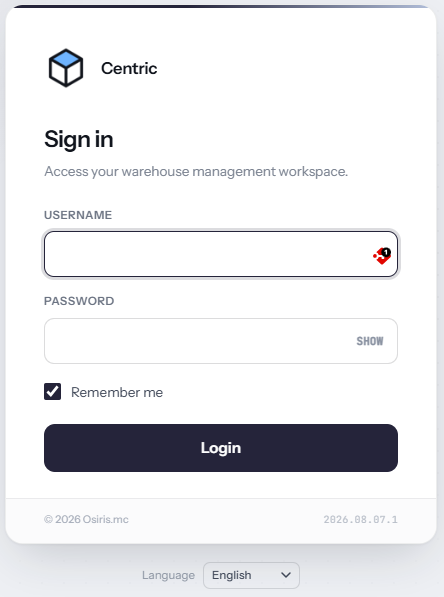
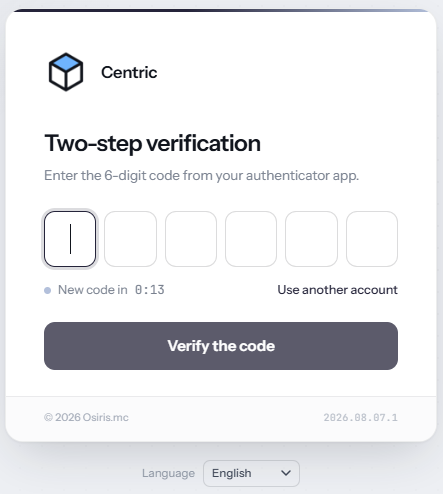
The sign-in screen has been refreshed to make it easier and more pleasant to use. The clearest example is entering your one-time login code: it used to be a single text field, and now each digit has its own box, so the code is quicker to read and type.
More Control Over Site Switching and Barcode Printing on the PDA
Site switching and barcode printing on the PDA are now controlled by permissions. EAN/QR printing is off by default, and both actions can be granted to the right people from the back office. This way only authorized operators can change site during picking or print barcodes from the handheld.
🚀 Features
WMS
- You can now see the picking rate on the Ongoing Series page, showing articles and orders per hour for the current hour, the previous hour, and the day's average, so you can track picking progress at a glance.
- Added a per-site setting for the stock update movement type. You choose the default type and whether it's locked, so a site can fix the type (for example to Inventory) and stop operators from changing it by mistake.
- Redesigned the Weight and Dimensions area so Weight is now its own clearly labeled field. The automatically calculated weight is easy to tell apart from a required manual entry, and you can move between fields with the keyboard.
- Warehouses can now have two logo versions, one for a light background and one for a dark background, so the logo always displays clearly whichever background it sits on.
PDA
- Reworked the Out for Delivery page in packing sorting with a clear message when a scan fails, the last scan shown for confirmation, and no more duplicate submissions from a fast repeat scan.
- New permission controlling access to the site switcher on the picking page.
- New permission controlling EAN/QR barcode printing, off by default and grantable from the back office.
- The movement type on stock updates now follows the per-site setting. When it's locked, the preset type is shown read-only (no dropdown) so it can't be changed by mistake. Otherwise operators choose it as before.
- The picking bin list now scrolls automatically to the scanned bin, so operators always see their current position.
- Added support for the MERTECH MovFast S55 handheld scanner (Android 13, 2D). Note: this scanner is sold in Russia, the CIS, and Uzbekistan, and is not available from EU distributors.
Workstation
- Added Ukrainian to the language selector.
- Added support for the TP-LINK VIGI C240 camera.
🐛 Bug Fixes
- The Print Barcodes preview now updates automatically when you open it for a different product. Before, it kept showing the previous product's barcode until you clicked refresh (printing itself was always correct).
- Fixed an error when printing a barcode with the PDF printer selected.
🌐 Locales
- Added Ukrainian on the PDA, the Workstation, and the back office.
❤️ Thank You
Thank you for being part of the v2026.08.11.1 release of Osiris WMS.
With this update, we continue refining the platform, addressing real operational needs, improving stability, and making the day-to-day experience better across all teams.
We appreciate your trust and remain dedicated to building a system that grows alongside your business.